What we'll cover
- 2:30Welcome and where we are5 minGwen
- 2:35Your answers, played back so you can correct anything15 minTommy
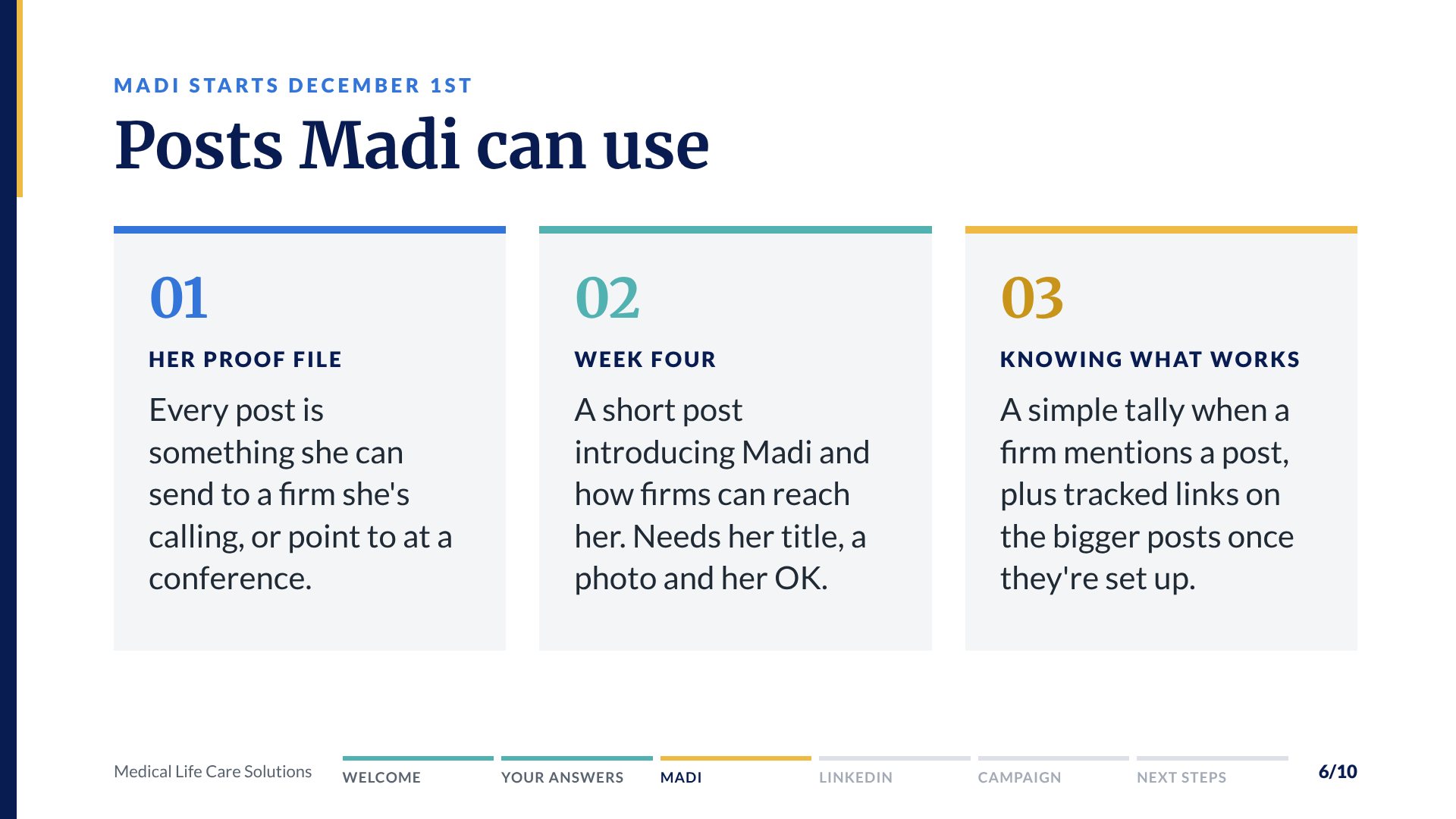
- 2:50Madi's December 1st start and how the posts can support her outreach10 minTommy
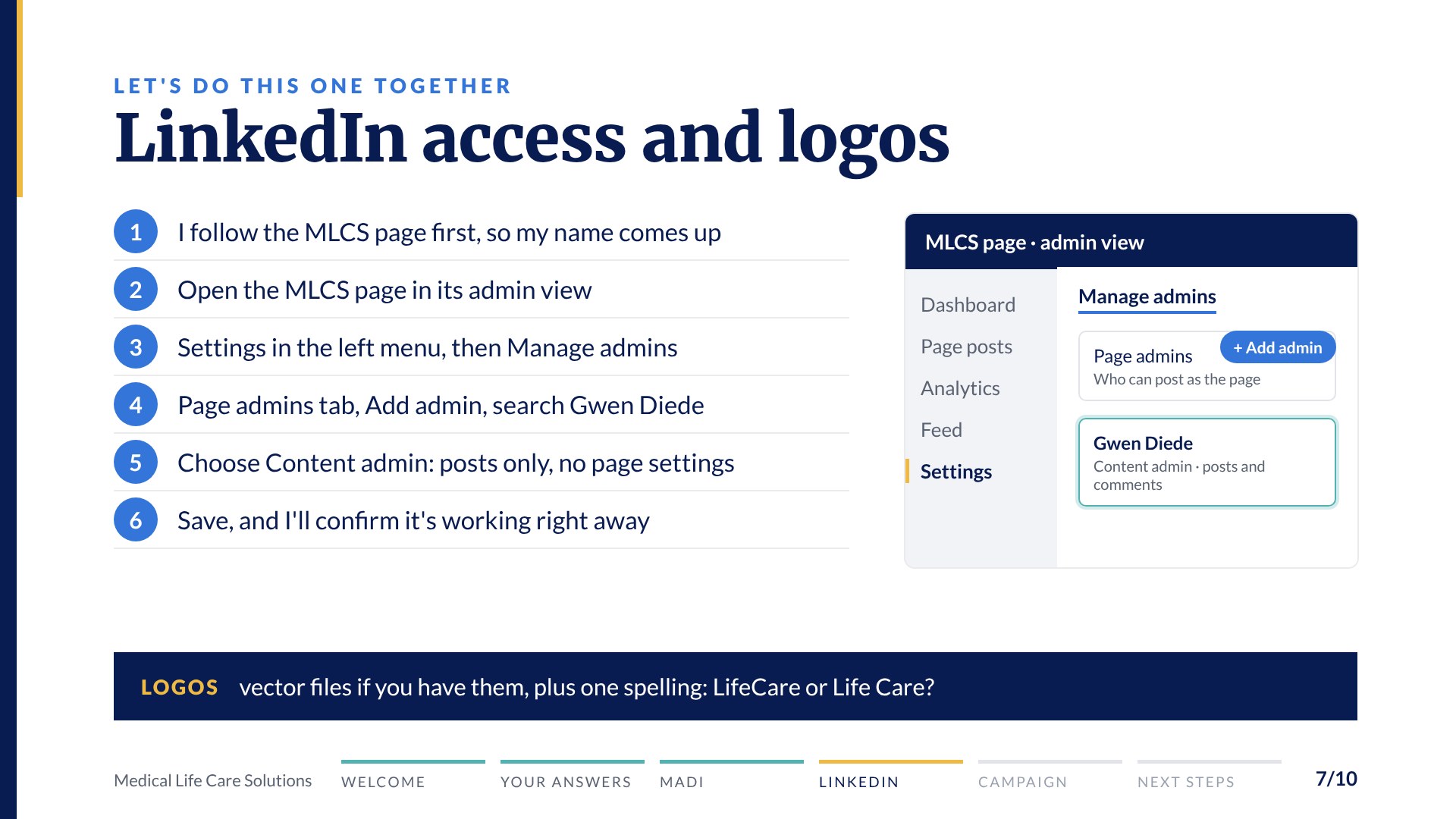
- 3:00LinkedIn page access and your logos10 minTommy
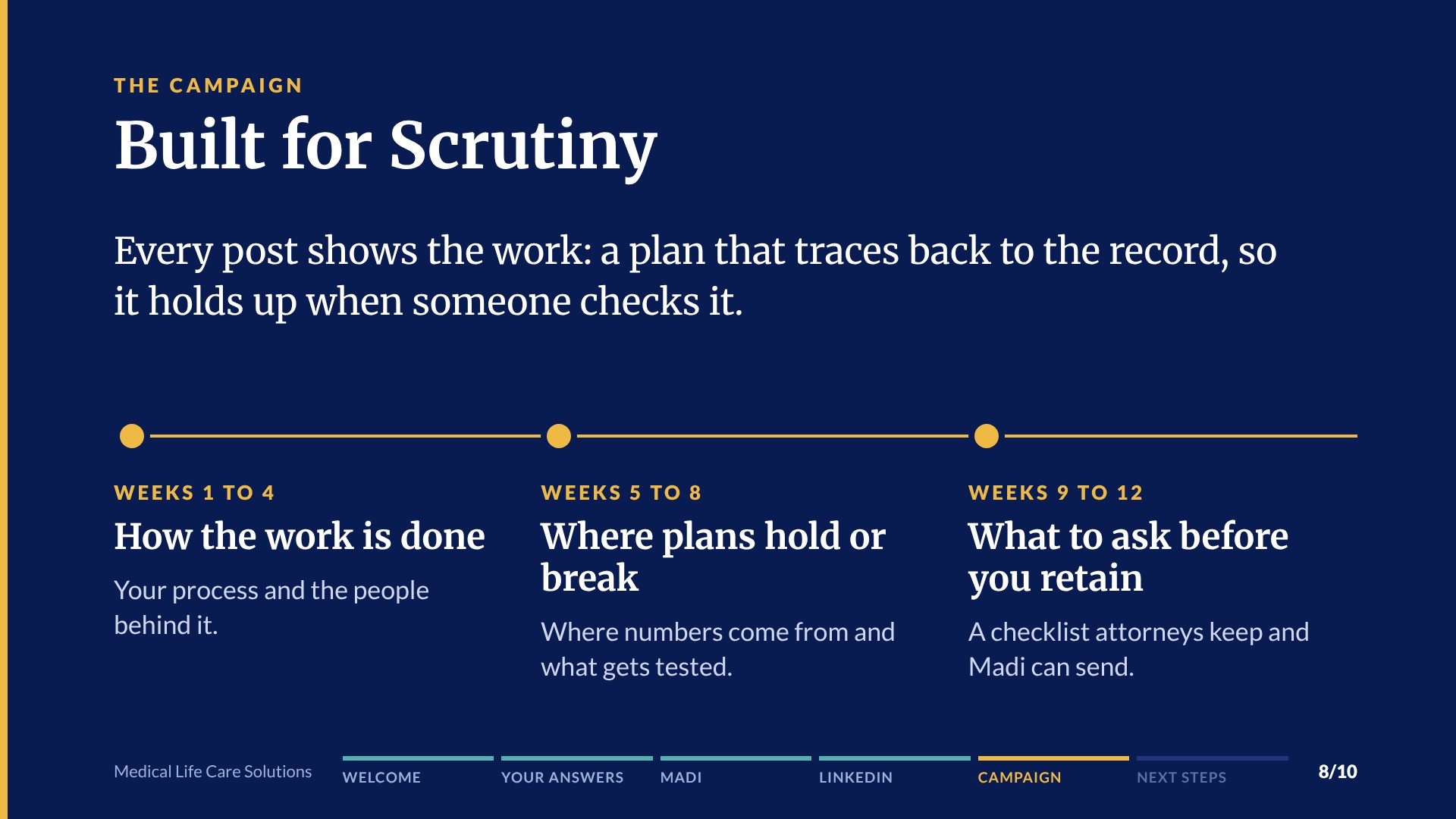
- 3:10The campaign, the first month's plan and picking a kickoff date15 minTommy and Tim
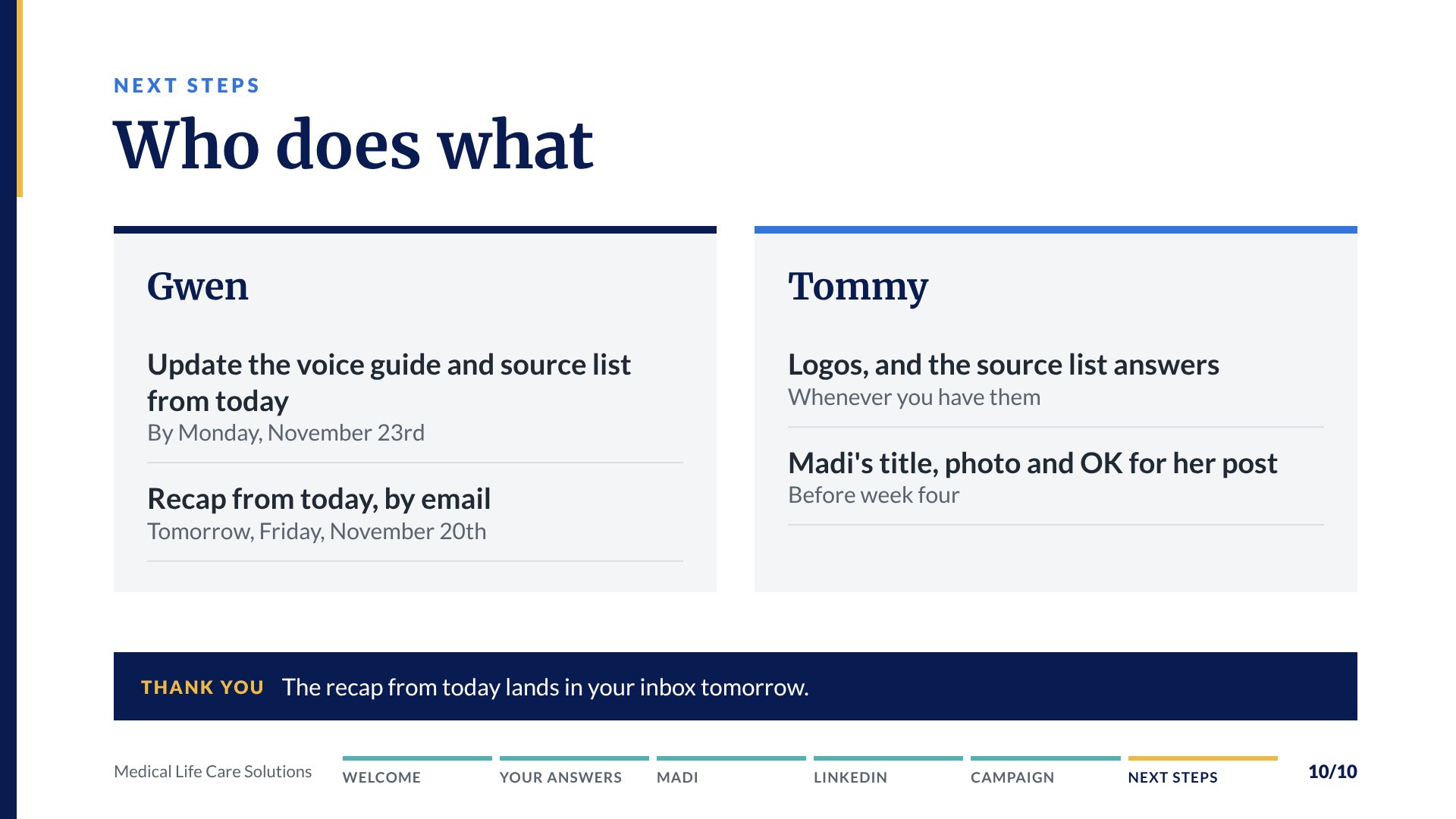
- 3:25Next steps5 minEveryone
To look over together
- Your voice guide
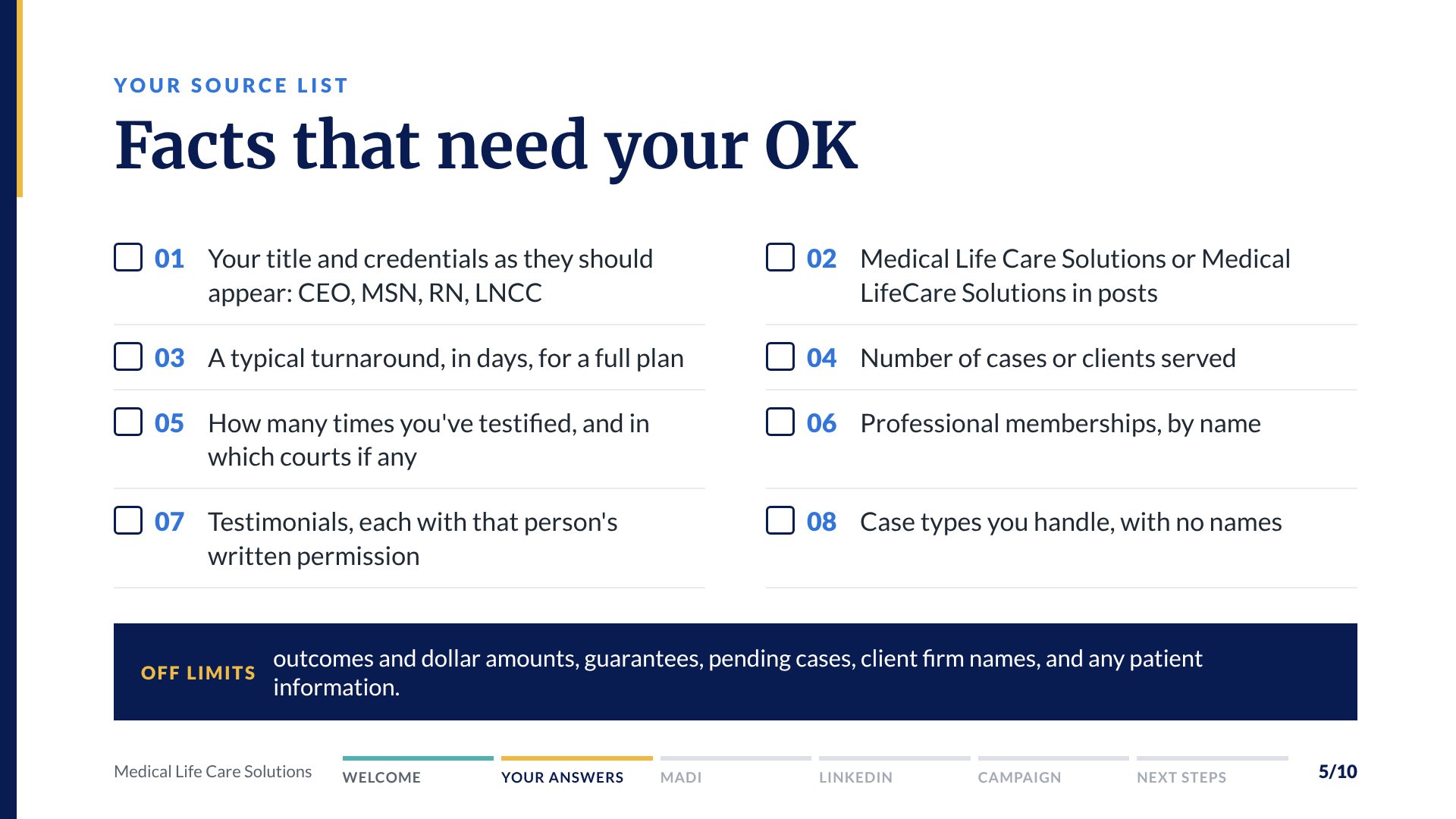
- Your source list, and the facts that need your OK
- Your first month topic plan
Handy to have on the call
- The MLCS LinkedIn page you'd like me posting to
- Your logo files
The slides for Thursday
Use the arrows or your arrow keys. Every slide prints from the PDF.
Where we are and how it runs
Four things start the work
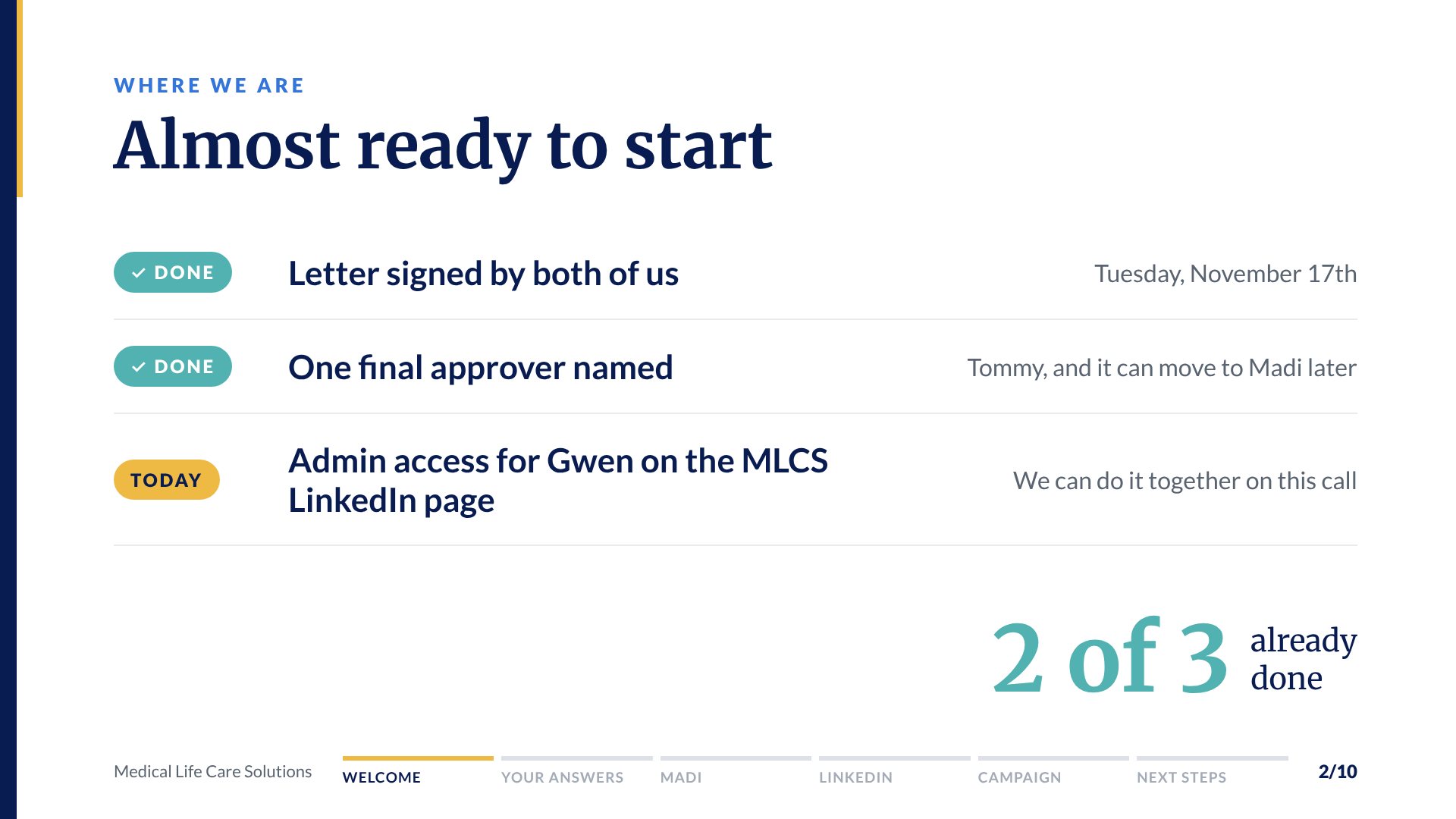
- ✓Letter signed by both of usTuesday, November 17th
- ✓One final approver namedTommy. Madi's role gets defined first, at least 90 days
- The MLCS LinkedIn pageMLCS doesn't have one yet, so Gwen is creating it
- First invoice paidDated November 20th, due November 30th
Handy to have on the call
- The MLCS LinkedIn page you'd like me posting to
- Admin access for me on that page. The steps are on your MLCS page.
- Your logo files
Before your first posts
- A one-page voice guide
- Built from your answers, for a quick look before I write anything
- A source list
- Every fact a post uses, each one confirmed by you first
- A first month topic plan
- For you to react to and shape
Then every month
- Two posts a week
- On your MLCS page by the Monday before they go out
- Your written approval
- By Thursday, with a final okay by noon Central Monday
- I publish each approved post
- Only in the wording you approved
- A short summary and a 30 minute call
- What went out, and the numbers LinkedIn reports
Nothing posts without your written approval. No patient information is ever used, and no post promises an outcome.
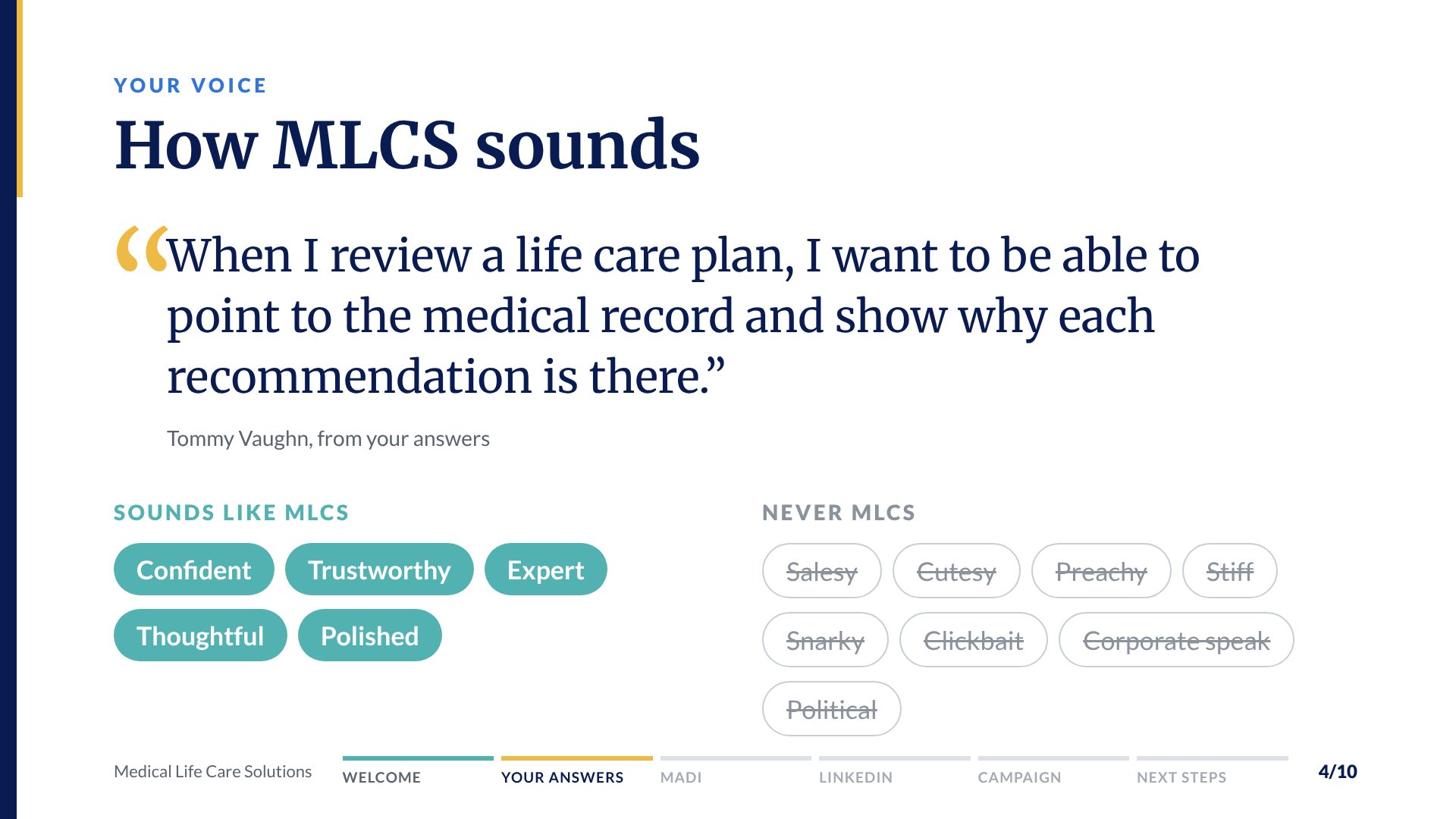
How MLCS sounds on LinkedIn
When I review a life care plan, I want to be able to point to the medical record and show why each recommendation is there.Tommy Vaughn, the line every post is checked against
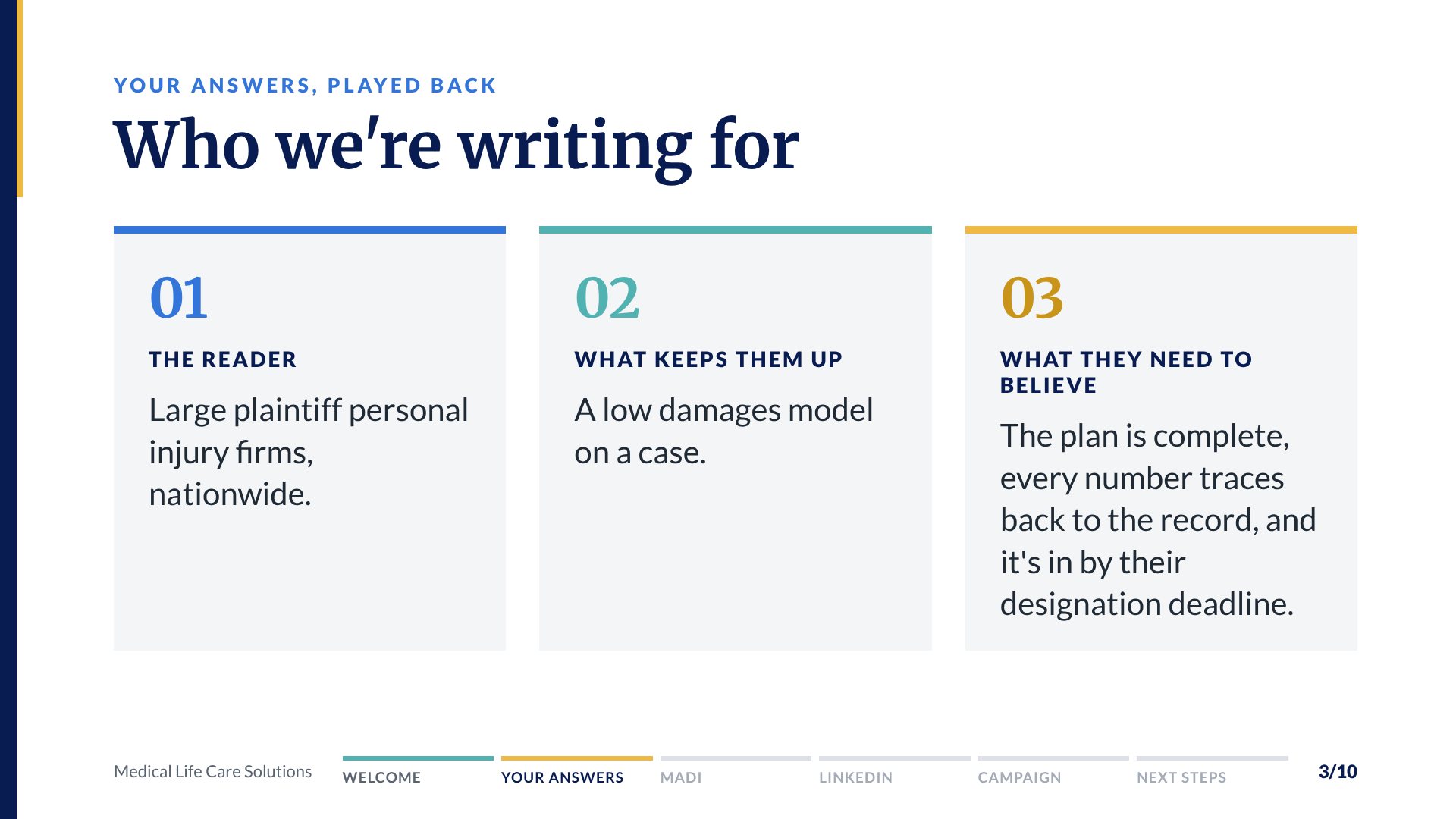
Who we're writing for
Large plaintiff personal injury firms, nationwide. The attorney with a catastrophic injury case who needs to know what future care will really cost.
What keeps them up
A low damages model on a case.
What they need to believe
The plan is complete, every number traces back to the record, and it's in by their designation deadline.
Your tone
Formal and serious, with real confidence. Clinical terms are used when they're the right word, then explained in a line.
Sounds like us
Never us
Key word
Defensible, as in defensible plans. Tim named it on the call as the most important word for MLCS.
What sets MLCS apart
Credentialed experts, a defensible methodology, fast turnaround, personal attention, real value, and testifying experience.
A line that fits
"Every recommendation in a life care plan should hold up when opposing counsel asks where it came from. Ours point back to the record."
A line that doesn't
"Maximize your settlement with the most aggressive plans in the industry!"
Salesy, and it promises an outcome.
Every fact a post can use
Posts only use facts from this page. Ready to use items came from your public website. For each Needs your OK item, pick Yes, add a correction or a number, or leave it out. You can answer a few now and the rest later, or we can fill it in together on the call.
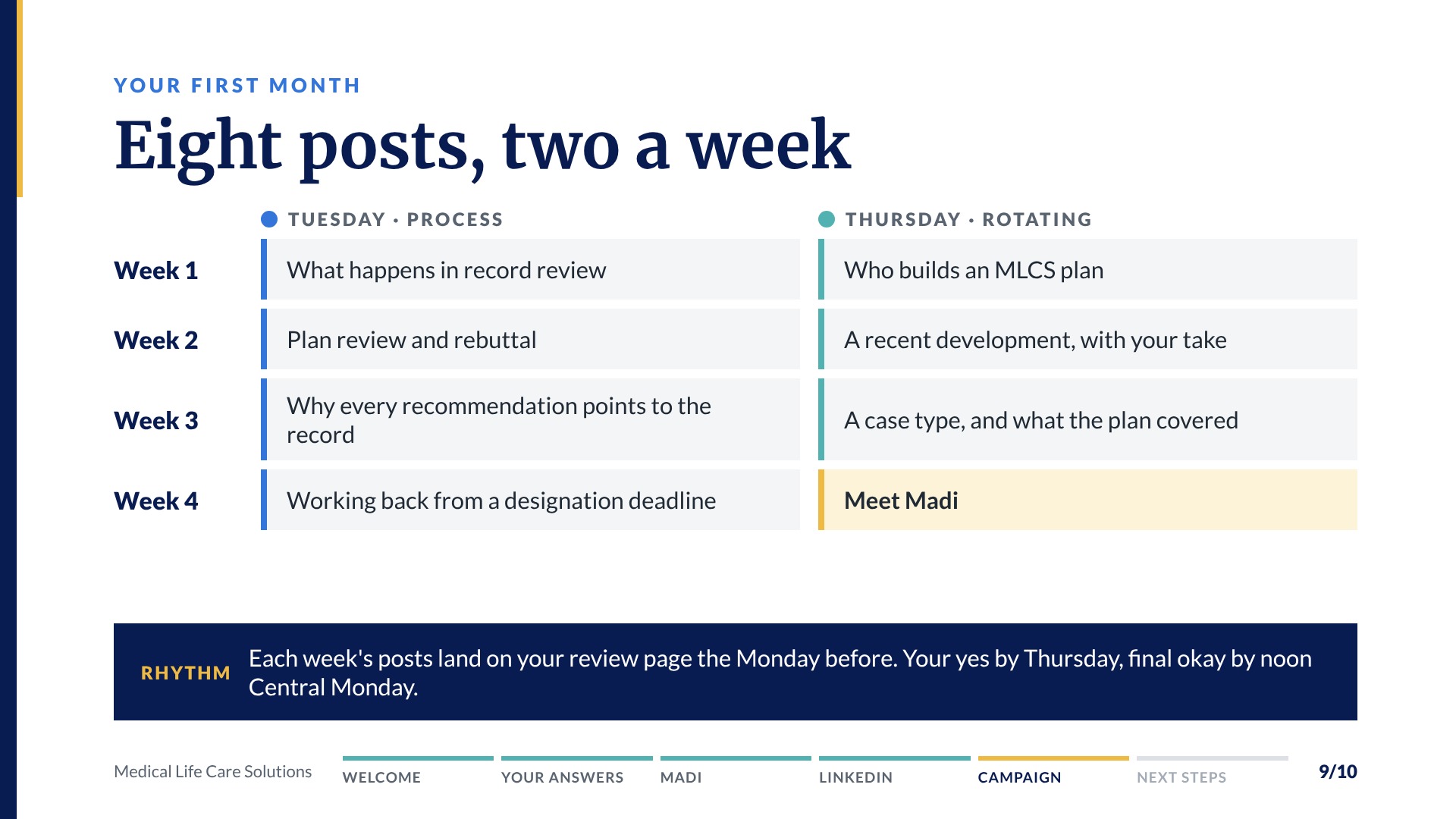
Eight posts for your first month
Two posts a week across your four topics. Swap, cut or add anything you like. Posts go out Tuesdays and Thursdays. Holiday and get to know us posts come first, before Christmas, and this plan runs from the full kickoff in the new year. Tap a post to see what it needs.
Week 1
TuesdayWhat happens in record review, the first step of every planHow our process works
What it needsWebsite, step one
ThursdayWho builds an MLCS plan: Tommy's clinical backgroundTeam and expertise
What it needsYour OK on credentials
Week 2
TuesdayPlan review and rebuttal: what we look for in an opposing planHow our process works
What it needsWebsite, plan review service
ThursdayA recent life care planning development, with Tommy's takeIndustry news with our take
What it needsTommy picks or approves the story
Week 3
TuesdayWhy every recommendation points back to the medical recordHow our process works
What it needsYour own sentence
ThursdayA case type MLCS handles, and what the plan had to account forClient wins, no names
What it needsYour OK on the case type
Week 4
TuesdayWorking back from a designation deadlineHow our process works
What it needsYour OK on a typical turnaround
ThursdayMeet Madi, and how firms can reach herTeam and expertise
What it needsMadi's OK, title and a photo
How each post moves
- Drafted from this plan, the voice guide and the source list
- On your MLCS page by the Monday before it goes out
- Your written approval by Thursday, with a final okay by noon Central Monday
- I publish it on the MLCS LinkedIn page in the wording you approved
Adding me as a LinkedIn page admin
This takes about two minutes, and once it's done I can schedule and post your approved posts straight to the MLCS page!
Before you start
- You'll need to be a super admin of the MLCS page. Whoever created the page has that role automatically.
- LinkedIn only lets you add someone who follows the page or is connected to you, so I'll follow the MLCS page first.
Six steps
- Open the MLCS page
On LinkedIn on a computer, open the MLCS company page from My pages on the left side of your home feed. That opens your super admin view. - Go to Manage admins
In the left menu, click Settings, then Manage admins. - Open Page admins
Pick the Page admins tab, then click Add admin. - Find Gwen
Type Gwen Diede and pick the profile that says HazelPiper Creative. That's my own LinkedIn, so I sign in to the page with my usual login. - Pick Content admin
Choose Content admin. It lets me post, manage posts and reply to comments as MLCS. Super admin stays with you. - Save
Click Save. I'll check that MLCS shows up under my pages and let you know once I'm in!
Content admin, for Gwen
Posts, manages posts and replies to comments as MLCS. Can't change page details or admins.
Super admin, stays with you
Adds and removes admins, edits page details and can deactivate the page.
Don't see Manage admins? You may not be a super admin yet, so the person who set up the page can add you first. On your phone? No problem, we can do it together on a computer.
Your logo files
I already have the logos from your website, and they work great on screen. If you have the original files, especially a vector version like SVG, PDF, EPS or AI, drop them here and they come straight to me!